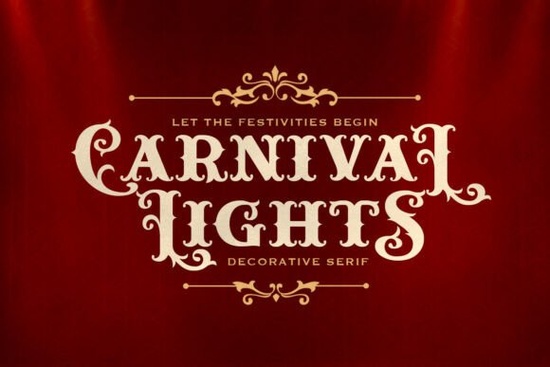
If you’re working on a project that needs a playful, nostalgic vibe think vintage circus posters, party invites, or bold branding Carnival Lights Font might be just what you’re looking for. It’s a retro decorative serif with curly slab details that give it character without being overwhelming. What makes it stand out is how each all-caps letter varies slightly in height, mimicking the uneven glow of old-fashioned carnival marquee lights. That little quirk adds charm and movement to your text.
It’s especially handy if you’re designing for print-on-demand products like mugs, T-shirts, or tote bags where personality matters. The font includes stylish alternates for uppercase letters, so you can mix and match to keep things visually interesting. And yes it comes with an italic version, plus multi-language support, which is great if you’re creating for international audiences or bilingual projects.
What kinds of projects work best with Carnival Lights?
This font shines (literally) when used in joyful, high-energy contexts. Think:
- Circus or carnival-themed party invitations
- Vintage-inspired logos for food trucks or dessert shops
- Quote graphics for social media or wall art
- Festival posters or event banners
- Merchandise for seasonal fairs or boardwalk vendors
Because of its uneven letter heights and decorative flair, it’s not ideal for body text or minimalist branding. But for headlines, titles, or accent text? Perfect. Pair it with a clean sans-serif something like Personal Vogue for contrast and you’ve got balance: fun up top, readable below.
How does it compare to other retro serifs?
If you’ve used fonts like Muzzaro or Ironwood Western, you know they lean into different aesthetics Muzzaro feels more editorial, while Ironwood has that rugged saloon vibe. Carnival Lights sits in its own lane: less formal than Montegar, less delicate than Vogane. It’s built for celebration, not ceremony.
One thing to note: because the letters are all caps but vary in height, it reads like title case even when typed in uppercase. That means you don’t need to toggle case settings or manually adjust sizing it’s baked into the design. Just type, pick your alternates from the glyph panel (if your software supports it), and you’re good to go.
Any tips for using it without overdoing it?
Absolutely. Here’s how to keep it effective:
- Use sparingly. One headline or focal word is often enough. Too much, and the visual rhythm gets chaotic.
- Pair with breathing room. Give it generous leading and padding so the curls and slabs don’t feel cramped.
- Stick to bright, saturated colors. Reds, yellows, teals the kind you’d see on a midway help sell the festive mood.
- Avoid busy backgrounds. Solid colors or subtle gradients let the font’s details pop.
Also, if you’re using design software like Canva, Illustrator, or Affinity, make sure you’re accessing the OpenType features to unlock those alternate characters. Not every platform shows them by default, but they’re worth digging for they add polish and prevent repetition.
Who’s buying this font and why?
Most buyers fall into a few groups:
- Small business owners running bakeries, ice cream shops, or event spaces who want their branding to feel inviting and nostalgic.
- Print-on-demand sellers creating seasonal or themed merchandise think “Summer Carnival” tank tops or “Big Top Birthday” party kits.
- Crafters and hobbyists making custom signs, scrapbook layouts, or SVG files for cutting machines.
- Graphic designers building mood boards or client mockups that need a touch of whimsy.
It’s also popular around holidays like July 4th, county fairs, or New Year’s Eve any time you want to evoke celebration, lights, and crowds having fun.
Final thought before you download
Carnival Lights isn’t trying to be elegant or corporate. It’s here to bring energy, nostalgia, and a bit of sparkle. If your project calls for that, you’ll probably love how it performs. Just remember: it’s a seasoning, not the whole meal. Use it to highlight, not overwhelm.
Next step: Before purchasing, test it with your actual content. Type out your headline or slogan in the preview tool on Creative Fabrica. See how the alternates look. Check spacing. Make sure the vibe matches your brand or event. Then go ahead light it up.
Learn More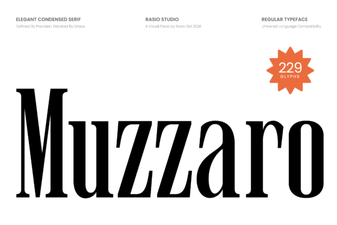 Muzzaro Font: Creative Typography for Modern Designs
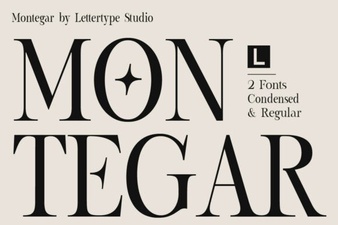 Montegar Font: a Designer's Creative Toolkit
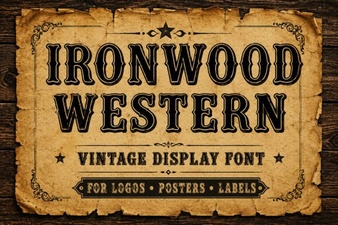 Ironwood Western Font: Design Projects & Uses
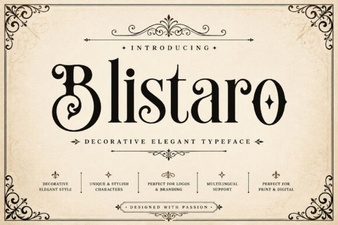 Blistaro: Creative Font Design Ideas & Projects
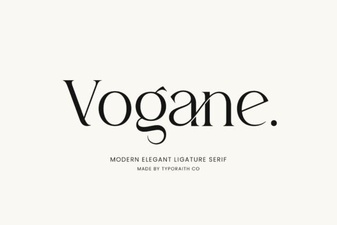 Introducing Vogane Font for Modern Design Projects
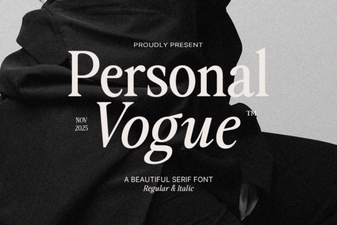 Craft Your Style with Custom Vogue Fonts