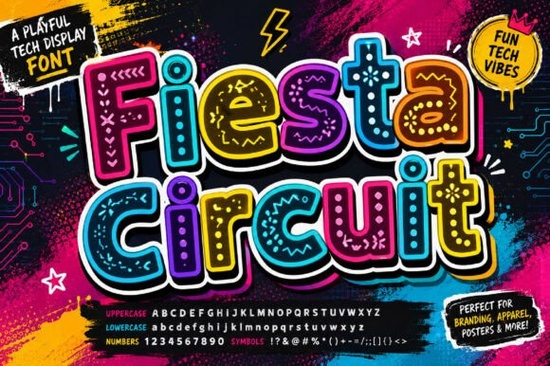
If you’ve been searching for a font that feels like it stepped out of a retro-futuristic arcade or a cyberpunk street festival, Fiesta Circuit might be exactly what your next project needs. It’s not just another display typeface it’s built with circuit-inspired detailing and rounded, bold letterforms that give off serious digital energy without feeling sterile or corporate. Whether you’re designing merch for gamers, branding a tech startup with personality, or making eye-catching social posts, this font adds instant visual interest.
What makes Fiesta Circuit stand out is how each character carries its own little story. The strokes aren’t just lines they’re stylized like microchips, wires, or neon-lit pathways. That means even a single word set in this font can become a focal point. You don’t need heavy effects or filters to make it pop; the design does the work for you.
Who actually uses a font like this?
It’s easy to assume a decorative font like Fiesta Circuit is only for niche projects, but in reality, it’s surprisingly versatile. Here’s where it shines:
- E-sports teams and streamers Use it for overlays, thumbnails, or merch that screams “high-energy competition.”
- Tech startups or app developers Want to look innovative without being cold? This font brings warmth and playfulness to digital branding.
- Print-on-demand sellers Think t-shirts, stickers, or mugs with phrases like “Game On” or “Powered Up.” The quirky details catch attention in crowded marketplaces.
- Event posters or flyers Especially for gaming conventions, hackathons, or music festivals with a digital twist.
- Social media creators Perfect for quote graphics, Reels titles, or Stories that need to grab attention fast.
If you like the vibe but want something softer, you might also enjoy browsing Dove Wedding Monogram for elegant contrast, or check out Spirit Moon if you’re into mystical-meets-modern styles.
How do I pair it with other fonts?
Fiesta Circuit works best as a headline or accent font not for body text. Its detailed shapes demand space and attention. Pair it with clean, minimalist sans-serifs like Helvetica, Montserrat, or even David for a modern-but-friendly combo. Avoid pairing it with other decorative fonts unless you’re going for intentional chaos (which, sometimes, is exactly the goal).
A good trick: use Fiesta Circuit for your main title or logo, then switch to a simple sans-serif for subtitles or descriptions. This keeps your message readable while letting the font’s personality shine where it matters most.
Is it easy to install and use?
Yes. Like most Creative Fabrica fonts, Fiesta Circuit comes in standard OTF and TTF formats, so it works across design tools Adobe Illustrator, Photoshop, Canva, Procreate, Silhouette Studio, Cricut Design Space, and more. Once installed on your system, it behaves like any other font. No plugins or special software required.
You can preview how it looks before downloading by checking out Fiesta Circuit directly on Creative Fabrica. They often include mockups and usage examples so you can see it in action.
What file types and licenses come with it?
When you download Fiesta Circuit, you’ll typically get both desktop and web font files. The commercial license allows you to use it for client work, POD platforms (like Redbubble or Teespring), logos, merchandise, and even YouTube thumbnails no extra fees or attribution needed. Always double-check the license tab on the product page, but Creative Fabrica’s standard license covers most small business and freelance use cases.
If you’re exploring similar styles, don’t miss Blaze for fiery energy or Fiesta Circuit’s own product page for alternate glyphs and bonus elements that might be included.
Any tips for getting the most out of it?
A few practical ideas:
- Scale it big. The details get lost at small sizes, so use it for headlines, logos, or large-format prints.
- Try colored outlines or glows. Because of its techy aesthetic, adding a subtle neon glow or gradient fill can enhance the futuristic mood.
- Use sparingly. One strong word in Fiesta Circuit often has more impact than a whole paragraph.
- Experiment with layering. Place it over glitch effects, grids, or pixel backgrounds to amplify the digital theme.
And remember if your project starts to feel too busy, pull back. Let the font do the talking instead of competing with heavy textures or patterns.
Quick checklist before you start:
- ✅ Download both OTF and TTF versions (just in case your software prefers one)
- ✅ Check for bonus alternates or ligatures in the glyph panel
- ✅ Test readability at different sizes avoid using below 24pt
- ✅ Pair with a neutral font for supporting text
- ✅ Save your favorite combos as style presets for future projects
Fonts like Fiesta Circuit remind us that design doesn’t have to be serious to be effective. Sometimes, the right typeface is the one that makes someone stop scrolling, lean in, and smile. If your project needs that spark the kind that feels alive, electric, and just a little rebellious this might be the one.
Download Now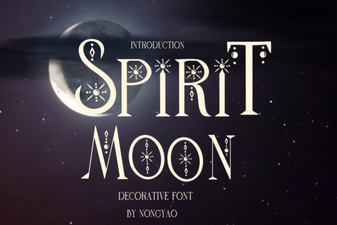 Spirit Moon Font: a Celestial Design Resource
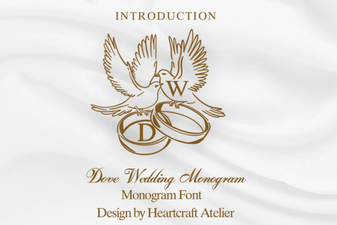 Elegant Dove Monograms for Wedding Design
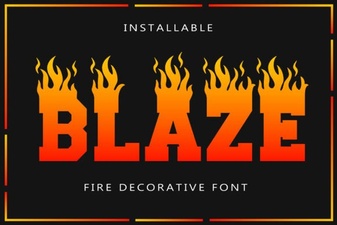 Blaze Font: Modern Typography for Creative Projects
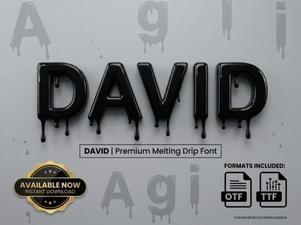 David Font: Typeface Selection Tips for Designers
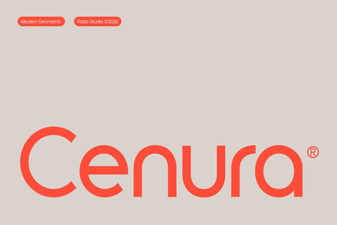 Cenura Font: Design Versatility & Creative Ideas
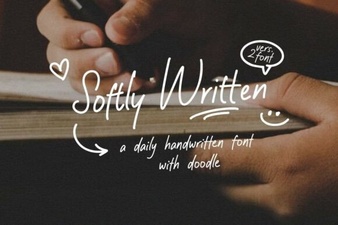 Softly Written Fonts for Gentle Web Design