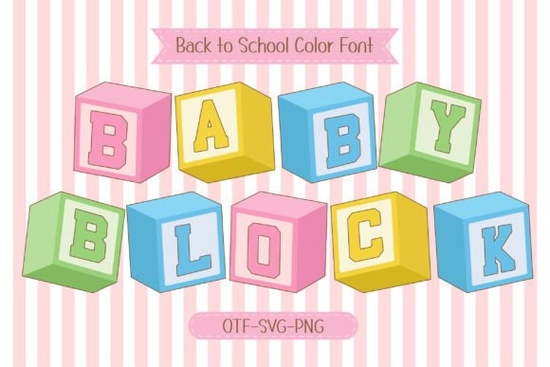
If you’ve ever designed something for kids whether it’s classroom posters, baby shower invites, or toddler-themed T-shirts you know how important it is to get the tone just right. Playful but not chaotic. Educational but still fun. That’s where Baby Block Font fits in. It’s a 4-color font that mimics those classic wooden alphabet blocks you might’ve played with as a kid, but with a modern sans serif twist and soft pastel hues that feel fresh and cheerful.
You can find this font over at Baby Block, and if you’re already browsing colorful fonts for children’s projects, you might also like what’s available in the colorful fonts section there are some great companions for this style.
What kind of projects work best with Baby Block?
This font isn’t meant for corporate reports or wedding invitations (unless it’s a very playful wedding). It shines when used in contexts where learning, play, and imagination are front and center. Think:
- Preschool worksheets and flashcards
- DIY growth charts or milestone posters
- T-shirt designs for toddlers or baby showers
- Classroom wall decor or teacher appreciation gifts
- Children’s party printables think cupcake toppers or favor tags
- Custom nursery signs or name plaques
Because it’s a multicolor font, each letter comes pre-colored no need to manually fill shapes or layer designs. Just type, and you get instant charm. That’s especially helpful if you’re creating quick-turnaround items for Etsy shops or local craft fairs.
How does it look in real use?
The letters have rounded edges and slightly uneven baselines just enough to feel handmade, not sloppy. The colors are gentle: minty greens, buttery yellows, sky blues, and blush pinks. They don’t overwhelm, which makes them perfect for pairing with photos or illustrations without clashing.
One thing to note: since it’s a color font, make sure your design software supports OpenType SVG or color font formats. Most modern tools like Adobe Illustrator, Photoshop (CC 2017+), Canva Pro, and Affinity apps handle it well. If you’re using an older program, check compatibility first though many platforms let you convert the font to outlines or rasterize it for broader use.
Can I use this for commercial projects?
Yes. Like most Creative Fabrica fonts, Baby Block comes with a commercial license. That means you can use it on products you sell whether that’s printable wall art, custom onesies, or digital activity packs. No need to credit the designer or ask permission each time. Just download, install, and create.
That said, always double-check the license terms after purchase. Sometimes extended licenses are needed for mass production (like thousands of mugs or apparel items), but for small businesses and crafters, the standard license usually covers everything you’ll need.
Any tips for pairing it with other fonts?
Absolutely. Because Baby Block is so visually busy (in a good way!), it works best as a headline or accent font. Pair it with simple, clean sans serifs for body text or supporting copy. Fonts like Montserrat, Quicksand, or even Arial Rounded will let Baby Block take center stage without competing.
For example:
Headline: “Welcome Little Learner!” in Baby Block
Subtext: “Personalized growth chart for your tiny scholar” in Quicksand Light
You can also layer it with icons or clipart think crayons, ABC blocks, or smiling animals to build cohesive themes for birthday parties or back-to-school season.
Is it easy to install and use?
Very. Once you download the OTF file from Creative Fabrica, just install it like any other font on your computer. On Mac, double-click and hit “Install.” On Windows, right-click and choose “Install for all users.” Then open your favorite design tool, select the font from the dropdown, and start typing.
If the colors don’t show up right away, make sure you’re using a program that supports color fonts. In Canva, for instance, you may need to upload the font manually and ensure “color font” is enabled in settings. Adobe apps usually detect it automatically.
Quick checklist before you start:
- Check software compatibility Does your app support color fonts?
- Use sparingly One or two words often have more impact than full paragraphs.
- Pair with neutral fonts Let Baby Block be the star; keep supporting text simple.
- Export as PNG or PDF For print or web, preserve the colors by exporting correctly.
- Test at different sizes Make sure details stay clear even when scaled down.
Whether you’re making keepsakes for your own kids or building a side hustle selling personalized kids’ decor, Baby Block adds warmth and whimsy without requiring extra design work. It’s one of those fonts that feels instantly familiar like childhood nostalgia wrapped in a modern design tool.
Try It Free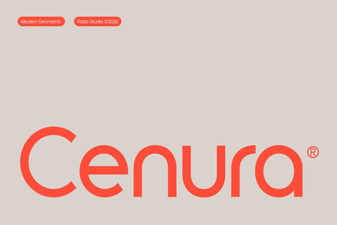 Cenura Font: Design Versatility & Creative Ideas
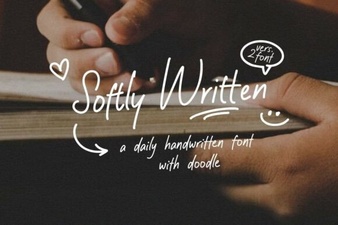 Softly Written Fonts for Gentle Web Design
 Illuminate Your Designs with a Carnival Lights Font
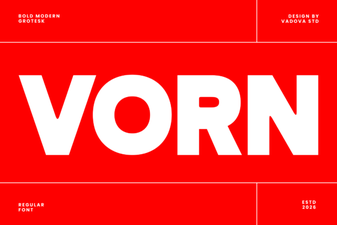 Vorn Font: Clean Typography for Modern Design
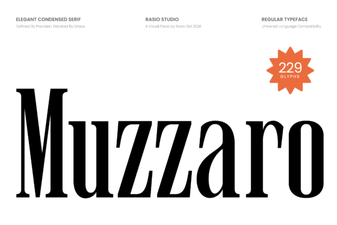 Muzzaro Font: Creative Typography for Modern Designs
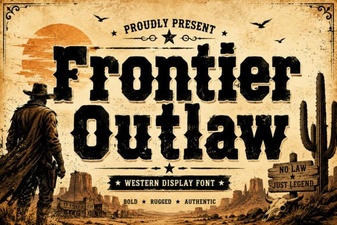 Frontier Outlaw Fonts for Your Next Design Project